
An AI video prompt template has four parts: the frame (format, length, scenes), the content (product, audience, one message), the look and a timed flow of scenes. What changes from one video type to the next is mostly the flow. For videos with text and app screens, the template needs a timeline, not a description of a single shot.
An AI video prompt template is a skeleton with fixed parts and gaps. The fixed parts make sure nothing important is missing: format, length, timed scenes, look and motion. The gaps are where your product, your audience and your message go. Which parts are fixed depends on the type of video. A logo needs four seconds and a single move. An explainer needs a chain of questions. Below you get eight structures by video type, three templates you can fill in right away and five rules that turn a template into a video worth posting.
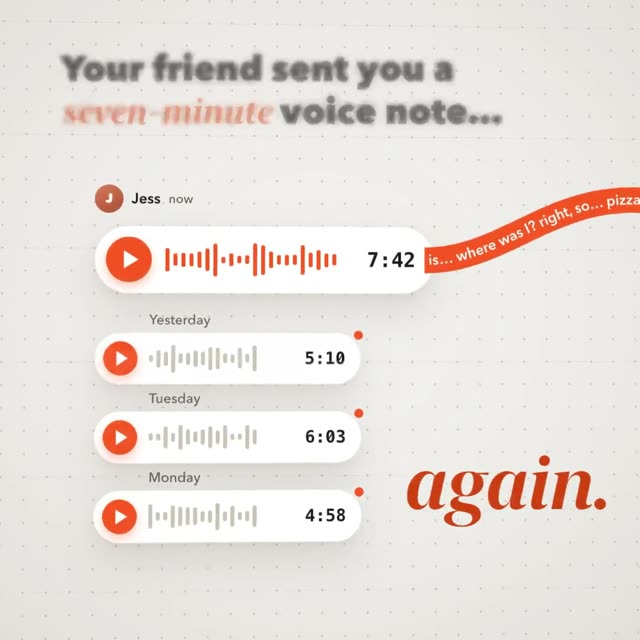
The video above is called “Gisto”. It is a square product film for an invented app that listens to long voice notes for you and gives you the point in one line. It runs just under ten seconds and came from a single prompt of about 7,700 words. That prompt follows exactly the skeleton you will see in short form below: first the frame and the idea, then the look, then every scene with its timing and motion.
Why most templates online fall short for product videos
Search for video prompt templates and you will find the same pattern almost everywhere: subject, action, setting, camera, lighting, style. That is a solid template for video models that invent one filmed shot, such as a camera gliding over a beach at sunset. It is not enough for a product video, an ad or an explainer. Those have text that has to stay readable, an app screen that has to look real and a fixed order of scenes.
Videos like that turn out better as an animation made of code, written for you by an AI like Claude. Every letter stays sharp and every button stays where it belongs, frame after frame. Why video models so often mangle text and logos is covered in AI video garbled text. A code animation therefore needs a different kind of template. It does not describe one image. It is a plan on a timeline.
The skeleton: four parts every AI video prompt template needs
Whatever the video type, every good template has the same four parts. The gaps are in square brackets. Here is the skeleton, colored by part:
Build a [length]-second animation in [16:9, 1:1 or 9:16], 30 frames per second, [number] scenes. It shows [product], which [benefit in one sentence], for [audience]. The one message: [sentence the viewer should remember]. Look: background [color value], accent [color value], typeface [name], mood [three words]. Scene 1 (0 to [x] s): [what we see], [which text appears], [how it moves]. Scene 2 …
- Frame: format, length, scenes
- Content: product, audience, message
- Look: colors, type, mood
- Flow: scenes with timing and motion
The frame always goes first, because everything else depends on it. The content is the most important part: a template without a clear message gives you a pretty video nobody understands. How to word each part in detail is explained in How to write AI video prompts. This article is about what changes from one video type to the next.
Eight templates by video type: length, format and flow
The flow is where video types differ most. A launch film tells a small story, an ad has to grab people in the first second, a logo needs one move. The values on the cards are guidelines taken from our prompts, not fixed rules. Only for App Store videos does Apple set the length: at least 15 and at most 30 seconds.
Launch film
- problem
- product appears
- two features
- result
- logo
Feature video
- old way
- feature in action
- result
- name
App Store preview
- main feature first
- second feature
- third feature
- calm ending
Ad reel
- hook in second 1
- proof
- offer
- call to action
Explainer
- question
- how it is today
- how it works
- example
- takeaway
Logo animation
- shape forms
- parts lock together
- name appears
- hold
3D explainer
- device from outside
- zoom in
- part at work
- zoom out
Talking head with graphics
- speaker on screen at once
- words on the beat
- graphic explains the line
- back to the speaker
Guidelines from the prompts in the DrillUp library. App Store length per Apple, as of November 1, 2026.
Cards 1 to 6 are classic motion design: flat or slightly three-dimensional graphics, text and interface. Card 7 is a 3D film where the camera travels into a device and back out without a single cut. Card 8 starts from real footage of someone talking to the camera. There the template does not describe scenes. It describes what happens on which sentence.
Three templates to fill in
You can copy the three templates below as they are. Replace every square bracket with a concrete value and hand the text to Claude. All three are short on purpose, so they are easy to adapt to your own product.
Feature video, 1:1, 12 seconds
“Build a 12-second animation in 1:1, 30 fps, 4 scenes, for the new feature [name] in [product]. Scene 1 (0 to 3 s): the old way, [problem in one image]. Scene 2 (3 to 7 s): the feature in the real interface, the cursor clicks [button]. Scene 3 (7 to 10 s): the result as one big number [value]. Scene 4 (10 to 12 s): logo and the line [line]. Look: [colors], movements overlap softly.”
Ad reel, 9:16, 10 seconds
“Build a 10-second ad in 9:16, 30 fps, 3 scenes, for [product]. Keep everything important in the middle and leave room at the top and bottom for the app’s buttons. Scene 1 (0 to 2 s): one big line naming [audience’s problem], word by word. Scene 2 (2 to 7 s): [product] solves it in one move. Scene 3 (7 to 10 s): [offer] and [call to action], held briefly. Must work without sound.”
Logo animation, 16:9, 4 seconds
“Build a 4-second logo animation in 16:9, 60 fps, for [brand]. The logo is [shape and color values]. 0 to 1.5 s: [base shape] forms out of [starting image] and settles with a small bounce. 1.5 to 2.5 s: the parts lock together into the logo. 2.5 to 3.2 s: the name [name] appears letter by letter. Then everything holds still. Background [color value], nothing else in frame.”
Each of these templates already gives you a usable first video. It is still a sketch, though. It says what happens, not exactly how it moves. For a video you actually want to show people, one step is missing.
From template to finished prompt
The difference between a template and a finished prompt is precision. A template is a few hundred characters long. The prompts in the DrillUp library average around 12,500 words. They spell out for every scene which element appears when, which curve it moves on, how the camera travels and how one scene flows into the next. That is where a video stops looking like a kit and starts looking crafted.
# Gisto – 9.7-second product film for a voice-note app (it listens to long voice notes for you and gives you the point in one line), 1:1 ## 0. What you are building A short, warm, airy motion-design film for an invented app called Gisto, which listens to long voice notes for you and gives you the point in one line. The story is one
another 7,683 wordsThis is only the start. Our prompts average around 12,500 words: every scene, every movement, every colour is described precisely. That is why your video comes very close to the example.
Get access nowPick a video
You see exactly what you will get.
Copy the prompt
One click. Structure, style and motion are already in there.
Create your own video
Change topic, style and scenes. No experience needed.
Above you can see the start of the prompt behind the Gisto film and how the video comes out of it. Your path is the same: pick a video close to your video type, copy the prompt and change the topic, copy, colors and scenes. Then give it to Claude. The full prompt is on the Gisto video page. Besides motion design, the library also has prompts for 3D films and for talking head videos, so for cards 7 and 8 as well.
Five rules for filling in a template
- Put values in every gap, not adjectives. “[accent]” becomes #FF6A1A, not “a warm orange”. “[typeface]” becomes the name of a real font.
- One scene, one sentence. If a scene needs two sentences, split it into two scenes and share out the time again.
- The timings add up to the exact length. Do the math before you send the prompt. Gaps or overlaps make the pacing uneven.
- Swap the story, not just the logo. A different product needs a different picture for its problem. Otherwise your video looks like the original with a new name on it.
- Plan the ending. The last scene holds still for at least one second. Otherwise the video feels cut off, especially when it loops in a feed.
Which template fits your video?
Start with the goal, not the tool. If you want to introduce a whole product, take card 1 and read SaaS launch video with AI. For a single new feature, card 2 fits, and Feature announcement video goes deeper. For the App Store, Apple’s rules apply, and they are summed up in App Store preview video. And if you want to learn how to adapt a long prompt to your own product step by step, the DrillUp Academy walks you through it.
Frequently asked questions
What is an AI video prompt template?
A prompt with fixed parts and gaps in square brackets. The fixed parts make sure format, length, scenes and look are never missing. You fill the gaps with your product, your copy and your colors.
Do these templates work with text-to-video models?
Models that invent a filmed shot usually get a shorter template: subject, action, setting, camera, lighting and style. The templates here are meant for animations that an AI like Claude builds as code. Text and interface then stay exact in every frame.
How long should a filled-in prompt be?
A few sentences are enough for a first draft. A video that looks finished needs more. The prompts in the DrillUp library average around 12,500 words and describe every movement.
Can I use one template for several products?
Yes, that is the main benefit. Frame, look and flow stay the same and you swap the content. Change the picture for the problem as well, or all your videos will look alike.