
All three assistants build animations as code and play them as a preview in the chat. Only Claude has a button that saves the animation as an MP4, through Claude Motion (a beta for Team and Enterprise). Gemini also offers its own video model (Gemini Omni), while OpenAI has shut down Sora. For videos with text, interfaces and logos, the code route is the more reliable one, and Claude is the furthest along there today.
Claude vs ChatGPT for animation, and where does Gemini fit in? The short answer: all three write animations as code and play them as a preview right in the chat. The difference comes after that. Only Claude saves the animation as an MP4 with one click, through Claude Motion. Gemini also has its own video model, and OpenAI has shut down its video model Sora. So the right assistant depends mostly on what your video needs to show. This comparison is based on the official help pages from Anthropic, OpenAI and Google, not on a test of our own.
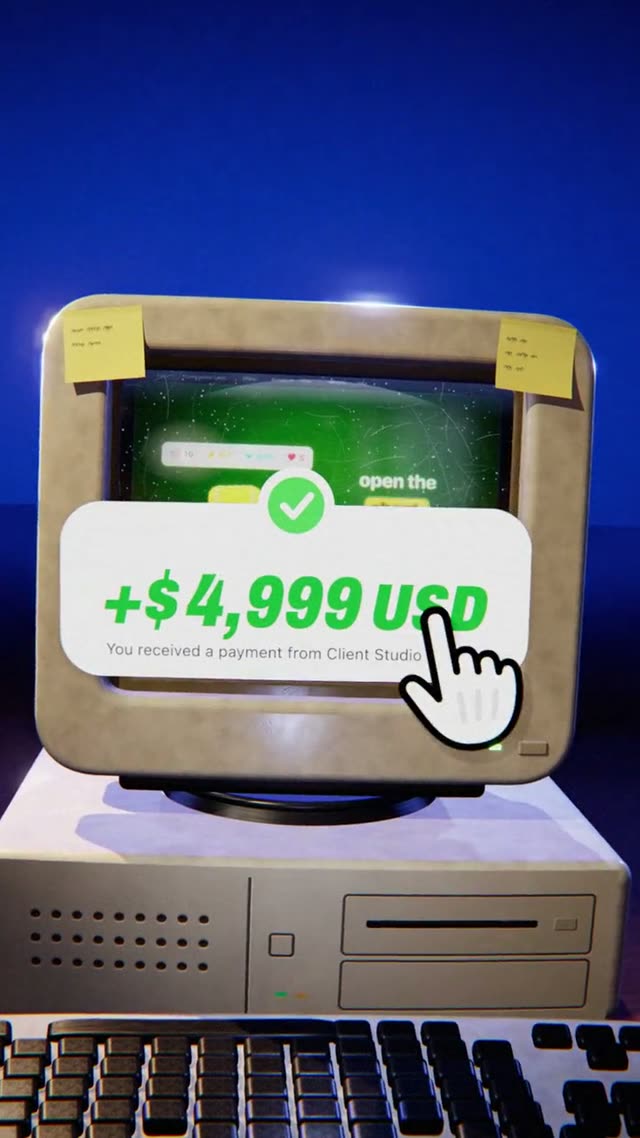
The video above is "One Prompt", a 3D ad for an AI video platform. It runs 13 seconds in 9:16 and is one continuous camera move in which every world sits inside an object from the one before. It was made with Claude from a prompt of about 4,600 words. There is no footage and no video model. Every frame is calculated from code, and that is exactly the kind of video this comparison is about.
Claude vs ChatGPT vs Gemini for animation: the comparison
The table covers the points that actually matter for motion design. Can the assistant build and show an animation? Do you get a video file at the end? And is there a video model for scenes that look filmed?
| ChatGPTOpenAI | GeminiGoogle | ClaudeAnthropic, used for our videos | |
|---|---|---|---|
| Animation as code with preview | Yes, canvas renders HTML and React in a sandbox | Yes, canvas with a preview and a code view | Yes, as an artifact on every plan from Free to Enterprise |
| Save as MP4 | The help pages mention no export as a video file | Canvas exports to Docs, Slides, PDF and Colab, not to video | Yes, with Claude Motion (beta for Team and Enterprise), otherwise with an extra step |
| Own video model | Sora is shut down (app since Apr 26, 2026, API since Sep 24, 2026) | Gemini Omni Flash for Google AI Plus, Pro and Ultra | No, and Anthropic says Claude Motion does not use one either |
| Text, numbers, logos | Real text in the code preview | Real text in canvas, a painted image in the video model | Real text, because everything is code |
As of November 3, 2026, based on the help pages for Claude artifacts, Claude Motion, ChatGPT canvas, Sora, Gemini canvas and the Google blog post on Gemini Omni.
One thing to keep in mind: the preview row looks the same for all three, but it is only half the job. An animation that plays in the chat is not yet a video you can upload to Instagram, TikTok or your website. For that you need a file, and this is where the three go separate ways.
Built or generated: two kinds of AI video
Before you pick an assistant, ask one question: should your video be built or generated? These are two very different techniques, and each one is good at different things.
Generated video
A model like Gemini Omni paints every frame itself. It looks cinematic and suits scenes with people, nature or light. But text, logos and app screens are only painted pictures there, and they can blur.
Built animation
The assistant writes code that says what sits where, when, and how it moves. Text stays sharp, colors are exact, and you can change one word without the rest of the video changing.
For product videos, launch films, app ads and explainers, the code route is almost always the better one. In those videos, the text, numbers, interfaces and logos carry the message, and they have to be right. The article AI video garbled text explains why generated videos so often fail at exactly this. For a scene on a beach that should look filmed, a video model is the right choice.
Claude: the shortest route from prompt to MP4
Claude builds animations as artifacts. Anthropic says this works on every plan, including the free one. The animation plays right next to the chat, and you tell Claude in plain sentences what should change.
What sets Claude apart from the other two is Claude Motion. It is a beta for the Team and Enterprise plans. On Team it is on from the start, and on Enterprise an owner has to turn it on. Motion has an "Export" button that saves the animation as an MP4. Anthropic states clearly that Motion does not use a video model. So Claude does not create realistic footage or people, but every detail stays under your control. Everything about Motion is in our article on Claude Motion.
On other plans you can still get an MP4, with one extra step: the animation is recorded frame by frame, so every single frame is exactly right. Export a Claude animation to MP4 shows how that works. For a wider look at what Claude can and cannot do with video, read Can Claude make videos?
ChatGPT: a preview in canvas, video only with a detour
ChatGPT has canvas, a workspace next to the chat. According to OpenAI's help center, React and HTML code runs there in a sandbox, so you can see the result right away. That means ChatGPT can build and play an animation as code, much like Claude.
We did not find an option on the help pages to export the preview as a video file. To turn the animation into an MP4, you need the same extra step as on Claude plans without Motion: take the code and have it recorded frame by frame.
For scenes that look filmed, OpenAI used to have Sora. OpenAI says the Sora app and website were shut down on April 26, 2026, and the developer API on September 24, 2026. So if you work with ChatGPT, the code route is the way to make videos today.
Gemini: canvas for code and a video model of its own
Gemini offers both. In canvas, Gemini builds web apps from HTML and React code, with a preview and a separate code view. An HTML animation plays there as a preview in the same way. Google's help page lists exports to Google Docs, Slides, PDF and Colab. A video file is not on the list.
On top of that there is Gemini Omni, a family of models that Google introduced at I/O in May 2026, starting with video. The first model, Gemini Omni Flash, takes images, audio, video and text as input and turns them into videos. Google says it is available to Google AI Plus, Pro and Ultra subscribers in the Gemini app and in Google Flow. Every video carries an invisible SynthID watermark.
That makes Gemini the only one of the three with both kinds of video under one roof. For scenes with people or landscapes, that is a real advantage. For a product video with an app screen, though, the same thing applies as with any video model: text and logos are painted pictures.
Which assistant fits your video?
Instead of asking which assistant is "the best", ask what your video needs:
- Product video, app ad, launch film, explainer: the code route. Easiest with Claude Motion, because the MP4 comes with one click. With ChatGPT, Gemini or Claude without Motion, it works with the extra step.
- A scene that looks filmed, with people or nature: a video model, for example Gemini Omni. Claude and ChatGPT do not offer their own model for that today.
- Both in one film: the scene from a video model, with text, numbers and logos animated on top. That way the message stays readable.
If you want to compare the three yourself, give all of them the same short prompt and see which preview you like best:
Build an 8-second animation in 9:16 as HTML. Near-black background, orange as the accent color. 0 to 2 s: the word "Launch" slides in from below and eases to a stop. 2 to 5 s: three cards with numbers appear one after another, each counting up from 0. 5 to 8 s: everything slides to the center and turns into a round logo.
Do not judge only the first impression. Check whether the timings are right, whether the moves ease out smoothly, and whether you can change one part without the whole thing being rebuilt.
Why the prompt matters more than the assistant
The short test prompt above shows whether an assistant can handle animation at all. It will not give you a video that looks like an agency made it. For that, the prompt has to set every scene, every timing, every move and every color. That is why the prompt behind "One Prompt" has about 4,600 words. Among other things, it describes how the camera travels from one world into the next without stopping. The article How to write AI video prompts explains how a prompt like that is built.
You do not have to do that work yourself. In the DrillUp library you will find ready-made video prompts for motion design, 3D and talking head, each with the video it produced. Pick a video, copy the prompt and make it your own: a different product, different text, different scenes. The prompts work with Claude or the AI of your choice. Every video in the library was made with Claude, and in the DrillUp Academy we show you step by step how to get from the preview to a finished MP4 with Claude.
Frequently asked questions
Is Claude better than ChatGPT for animation?
For animation as code with an MP4 at the end, Claude has the shortest route today, because Claude Motion has an export button. ChatGPT also previews HTML and React in canvas, but its help pages do not mention exporting a video file. We do not show our own quality test of all three here; this comparison is based on the official documentation.
Can Gemini make videos?
Yes, in two ways. In canvas, Gemini builds animations as code with a preview. On top of that there is Gemini Omni Flash, a video model that Google says is available to Google AI Plus, Pro and Ultra subscribers in the Gemini app and in Google Flow.
Is Sora still available in ChatGPT?
No. According to OpenAI's help center, the Sora app and website were shut down on April 26, 2026, and the Sora API on September 24, 2026.
Do DrillUp prompts work with ChatGPT or Gemini?
The prompts are plain text, so you can paste them into any assistant: Claude or the AI of your choice. Every video in our library was made with Claude, so Claude is the most reliable way to get the result you see.