
A Claude animation almost always breaks in one of three places: the preview does not start, the motion stutters during playback, or the MP4 differs from the preview. The most common causes are several timers instead of one timeline, heavy effects, fonts that load late and screen recordings instead of frame-by-frame export. Describe the bug to Claude with the second, the element and the result you expect.
When your Claude animation is not working, the problem almost always sits in one of three places: the preview never starts, the motion stutters or jumps while it plays, or the finished MP4 looks different from the preview. Work out which of the three it is first. Then give Claude one precise sentence with the second, the element and what you expected, instead of "it's broken". That way most bugs are gone in one or two rounds.
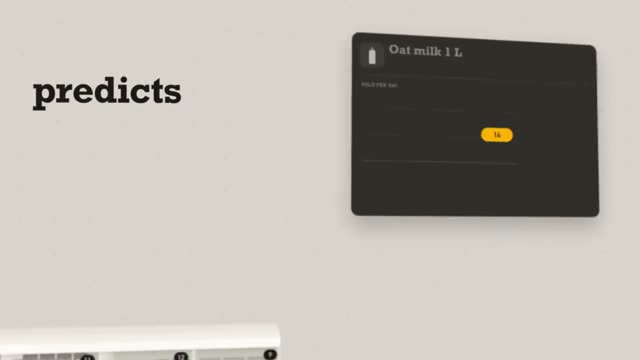
The video above is "Stoka", a 10.4 second product film in 16:9 where a camera moves through a 3D shop. The prompt behind it is 24,998 words long. It contains a timeline with fixed seconds for seven scenes, rules for every movement and a frame-by-frame check at the end. That is why most of the bugs below never show up in it. If you want a film like this for your own product, copy the prompt on the Stoka page and let Claude swap the name, colours and content for yours.
Where does your Claude animation break?
An animation from Claude does not come from a video model. It is code that moves text, shapes and images, and Anthropic says the same about Claude Motion (Claude help on Claude Motion). So you are not fighting strange image glitches like in AI video. You are fixing code bugs, and each one has a clear cause. The graphic shows the three places and what usually sits behind each one.
As of November 23, 2026. Our grouping for animations that Claude builds as code (artifact, Claude Code, Claude Motion).
Sorting the bug first saves you time. A preview that never starts needs a different message to Claude than a stutter at second 4. And a problem that only shows up in the MP4 is not fixed in the animation code at all, but in the export.
Claude animation not working: 7 causes and fixes
The table lists the seven bugs that come up most often in animations built from code. On the left is what you see, on the right what you tell Claude.
| What you see | Causemost of the time | Fixwhat to tell Claude |
|---|---|---|
| Preview stays blank | a bug in the code, or a library from outside does not load | copy and send the error message; "put everything in one file with no outside files" |
| Code stops mid-line | the answer is too long for one pass | "continue from the last complete line", or build it scene by scene |
| Motion stutters | width, height or position are animated instead of moved | "animate only with transform and opacity" |
| A scene jumps instead of gliding | every scene runs on its own clock | "one single timeline with fixed seconds for all scenes" |
| Font changes after the start | the font loads after the animation has started | "start only once all fonts have loaded" |
| Every playback looks different | random values, or timing that depends on computer speed | "no random values, every movement depends only on the timeline" |
| MP4 stutters, preview does not | the screen was recorded instead of rendered frame by frame | frame-by-frame export (see below) |
As of November 23, 2026. Typical bugs in animations made with HTML, CSS and JavaScript. Notes on smooth motion based on web.dev (Google).
Two of these rows matter more than the rest. The first is the timeline. When every scene runs on its own timer, the scenes drift apart after a few seconds and the transitions stop lining up. One single timeline that everything hangs on makes the film look the same every time it plays. The second is transform and opacity. A browser can move these two properties very cheaply. When Claude animates width, height or the distance to an edge instead, the browser has to lay out the whole page again in every frame, and that is what stutters.
How to describe the bug to Claude
The most common reason a fix fails is a vague description. "The animation is broken" makes Claude guess, and then it often changes things that already worked. A good bug report to Claude has four parts: the second, the element, what you see and what you expect. Add one sentence on what Claude must not touch. Here is an example:
At second 4.1 the price card jumps from the left to the centre instead of gliding. Expected: it glides softly to the centre in 0.6 seconds and stays there. Change only this one movement. Keep every other scene, colour and timing exactly as it is. Afterwards, tell me in one sentence what caused it.
That last sentence helps you with the next film. If Claude says two timers were fighting each other, you know what to watch for in your next prompt. If there is an error message, paste all of it into the chat. A screenshot of the moment helps too, because Claude can read images.
Why the MP4 looks different from the preview
The preview in the chat plays live in your browser. When your computer is busy, the browser skips single frames. You hardly notice that in the preview, but a screen recording saves exactly those gaps. So the video stutters even though the animation itself is fine.
The fix is an export that renders the animation frame by frame. The timeline is paused for every single frame, the frame is saved, and then it moves on to the next one. Every frame comes out exactly the same, no matter how fast your computer is. This only works when the animation has one single timeline that can be paused, which is why that rule sits in the table above. The full export, step by step, is in Export a Claude animation to MP4.
Claude Motion has a button for this: you click "Export" and choose MP4 (according to the Claude help center, as of November 23, 2026). But Claude Motion is only part of the Team and Enterprise plans. What to do without them is in Claude Motion without a Team plan.
When a new chat beats the tenth fix
After many fixes in the same chat, things often get worse instead of better. The chat is full of old versions, and new changes clash with old ones. On top of that, Anthropic says longer conversations use more of your usage limit and suggests starting a new conversation when you get close (Claude help on usage limits, as of November 23, 2026).
A simple rule: if the same bug is still there after three tries, start over. Ask Claude for the current state as one file, open a new chat, give it the original prompt plus that file, and describe only the one bug. For long films a stronger model or a higher effort level is also worth it. Which model fits which job is in Opus 5.5 motion design prompts.
Fewer bugs from the start
Most bugs in the table happen because the prompt does not rule them out. If you only write "make an animation for my app", Claude decides on timers, fonts and effects by itself. A good prompt settles these things up front:
- One timeline: every scene with a start and end in seconds, all on the same clock.
- Fixed fonts: which font, and that the animation only starts once it has loaded.
- Light motion: only move, rotate, scale and fade.
- No randomness: every movement has fixed values, so every playback looks the same.
- A check at the end: Claude checks the film itself, scene by scene, against the prompt.
This is exactly why the prompts in our library are so long. For 10.4 seconds of film, the prompt behind Stoka has its own timeline, a section with rules for every movement and a frame-by-frame check. How to build prompts like that is in How to write AI video prompts.
Get to the finished film faster
You can fix every bug one by one. It is faster when the prompt does not let them happen in the first place. In the DrillUp library you will find ready-made video prompts for product, app and launch films, each with the video it produced. Pick a style, for example Stoka, copy the prompt and adapt it to your product. How to set up Claude for it and how the export works is shown step by step in the DrillUp Academy.
Frequently asked questions
Why does my Claude animation preview stay blank?
Usually there is a bug in the code, or a file from outside, such as a library or a font, does not load. Paste the full error message into the chat and ask Claude to build everything in one single file with no outside files.
Why is my Claude animation stuttering?
Often the code animates the width, height or position of an element. The browser then has to lay out the page again in every frame. Ask Claude to animate only with transform and opacity and to hang every scene on one single timeline.
Why does the MP4 stutter when the preview is smooth?
A screen recording saves every frame the browser happens to skip. An export that renders the animation frame by frame does not have this problem. For that, the animation needs one single timeline that can be paused.
When should I start a new chat instead?
When the same bug is still there after three tries. Ask Claude for the current state as one file and start again with the original prompt, that file and exactly one bug description. According to Anthropic, long conversations also use more of your usage limit.